
LavaDial — Clarity in every call
An operator workspace for handling calls, viewing caller information, and coordinating with a team. Emergency queues, PSAP navigation, and location fields indicate a public-safety use case.
Design focus: UX/UI, a modular desktop workspace, and a consistent component system.
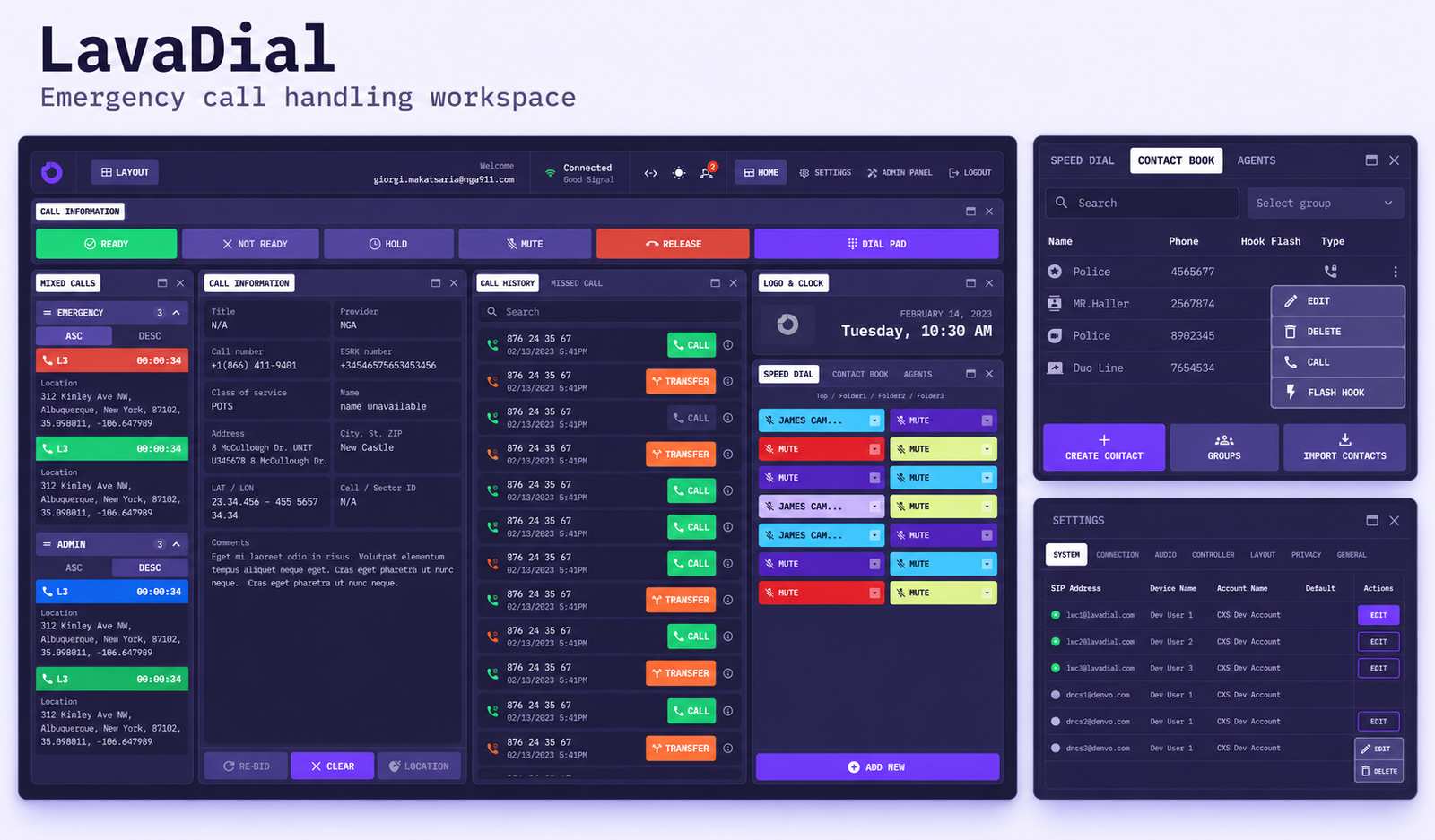
LavaDial — workspace, contacts and configuration
The challenge
Bring multiple streams of information into one working view: incoming calls, caller details, call history, contacts, and operator availability. The design challenge is to keep essential actions accessible while allowing a dense interface to remain organized.
The design process
The work is presented as a retrospective reading of the supplied designs: organize the workspace → define call actions → connect people and information → build consistent settings and components.
01 / The operator workspace
The dashboard places call queues beside caller information, history, and quick-access contacts. A persistent control bar groups Ready, Not Ready, Hold, Mute, Release, and Dial Pad actions.
This arrangement keeps the current conversation and its supporting context within the same view. Separate emergency and administrative queues give different call categories their own space.
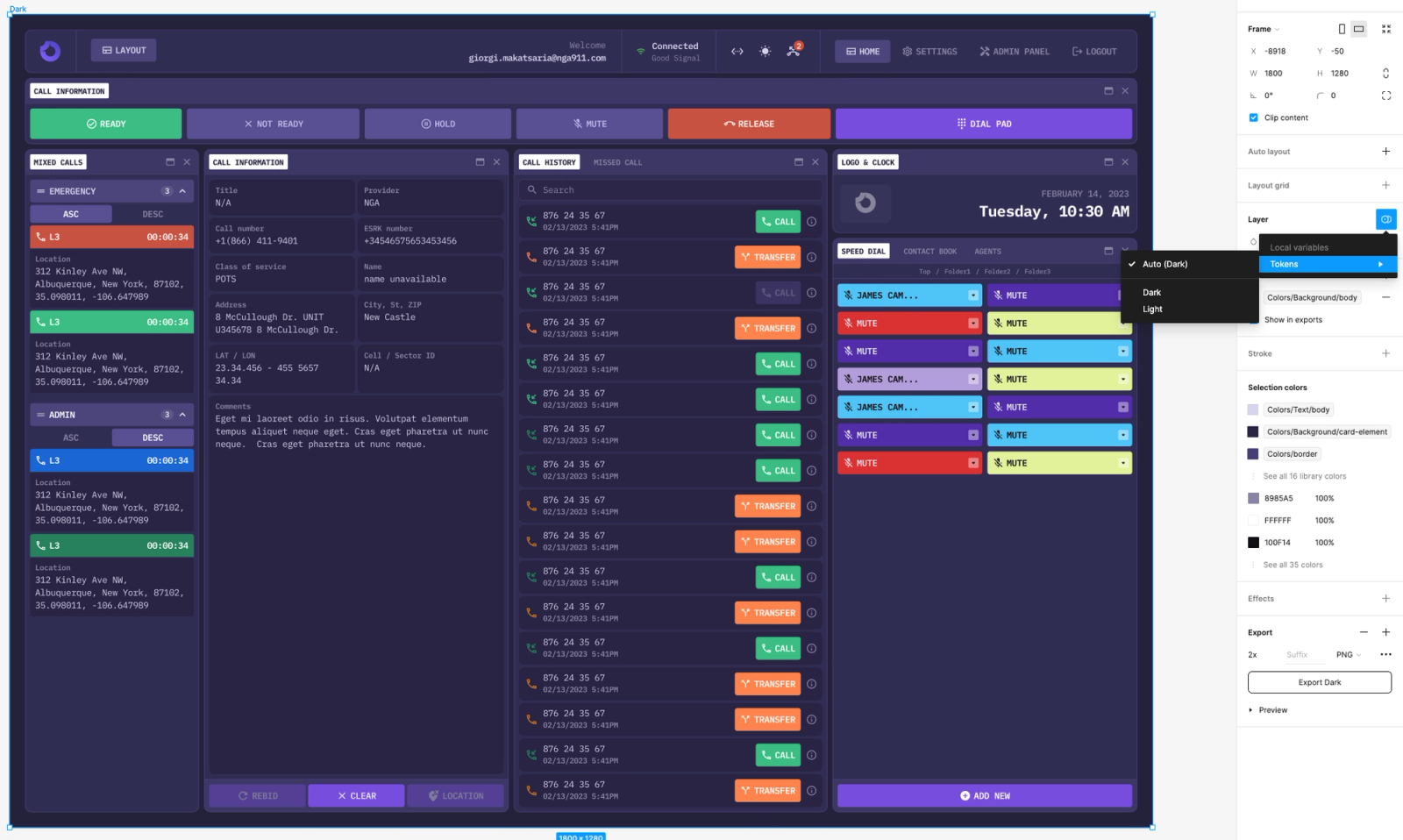
Operator dashboard — original design
02 / Caller context and team coordination
Caller information includes phone number, address, coordinates, provider, and comments. Call history provides call-back and transfer actions, while the contact book supports search, groups, multiple numbers, and contact import.
The operator list exposes availability states and communication controls. Together, these panels support the handoff between understanding a call and reaching the next person.
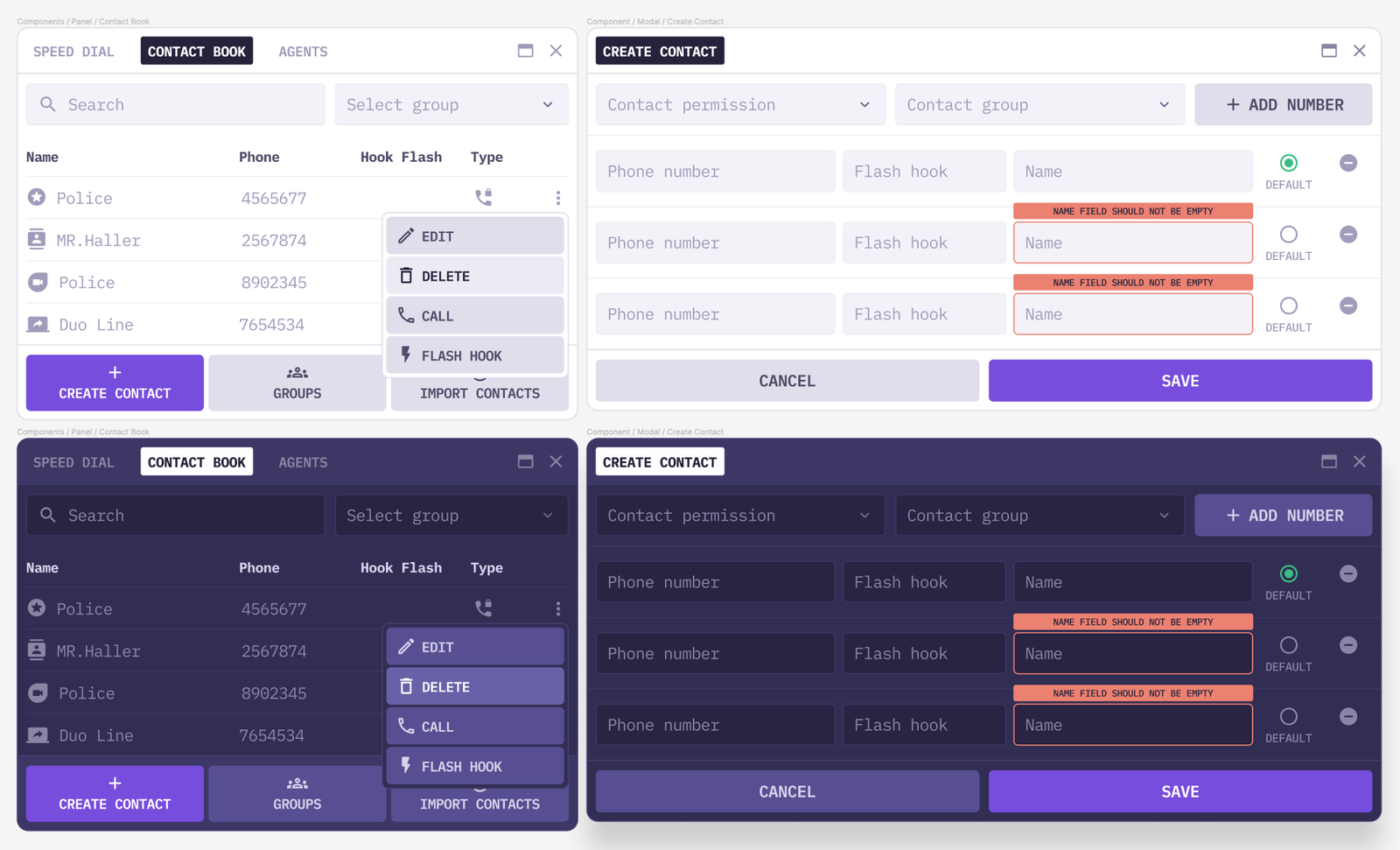
Contact book and contact creation — light and dark themes
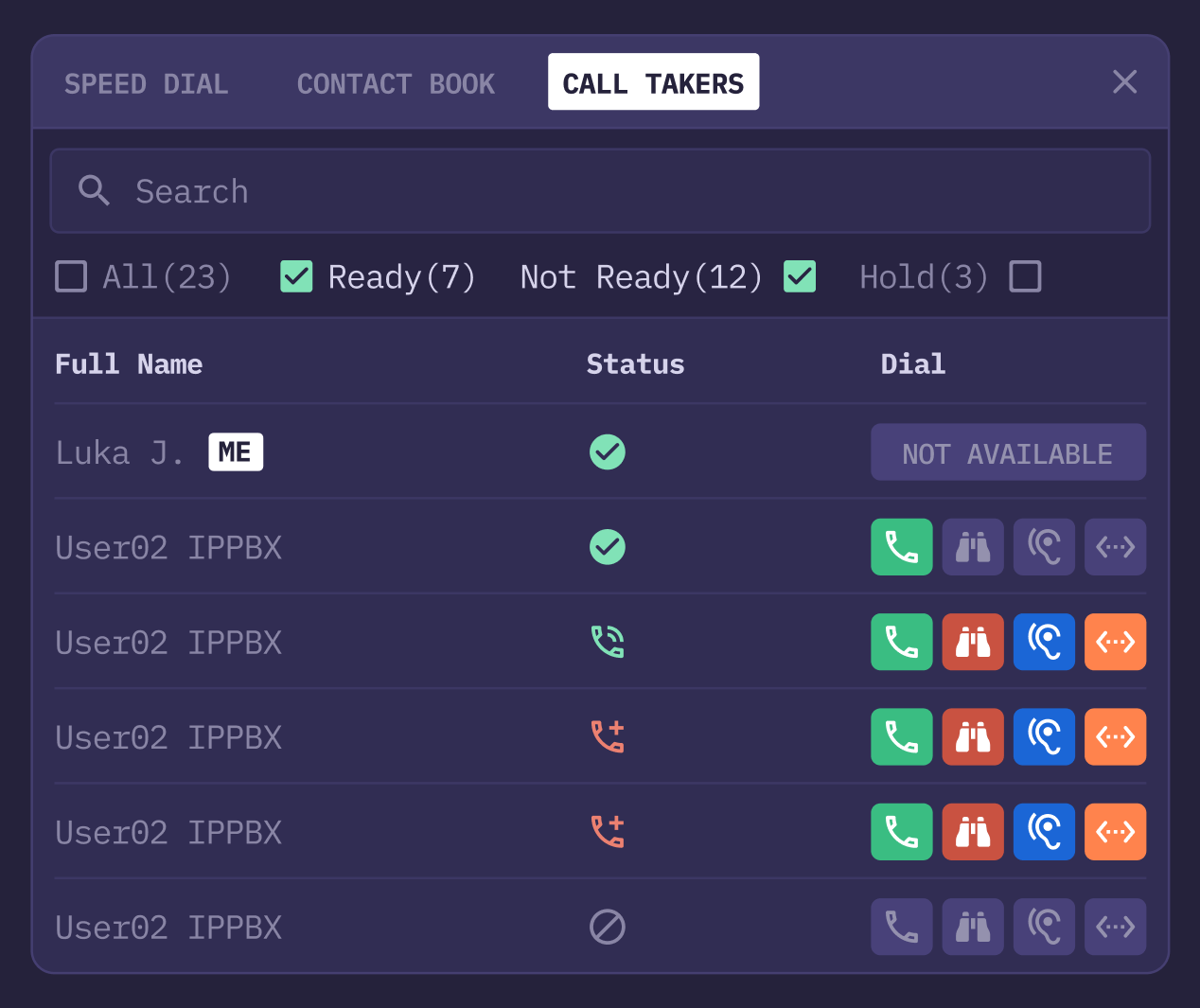
Call takers — availability and communication controls
03 / A workspace that adapts
Widget selection and saved layouts let operators choose which panels appear in their workspace. Predefined and custom layouts suggest a product designed for different working arrangements rather than a single fixed dashboard.
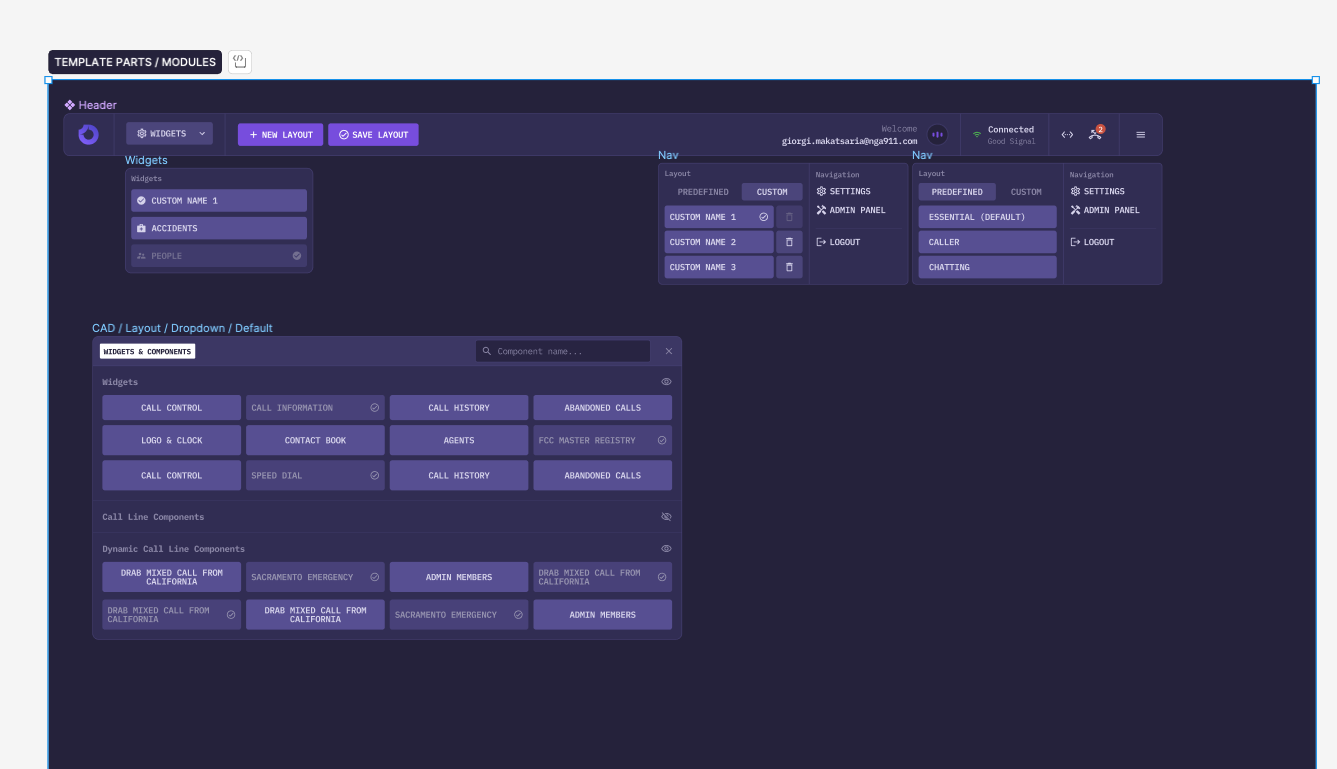
Widgets and saved layout selection
04 / Configuration and consistency
Settings bring SIP accounts, connection priorities, audio devices, controllers, privacy, and general preferences into a shared tabbed structure. Form validation, unsaved-change warnings, and disabled actions make interface states explicit.
Light and dark variants, reusable buttons, fields, and panels extend the same visual language across the product.
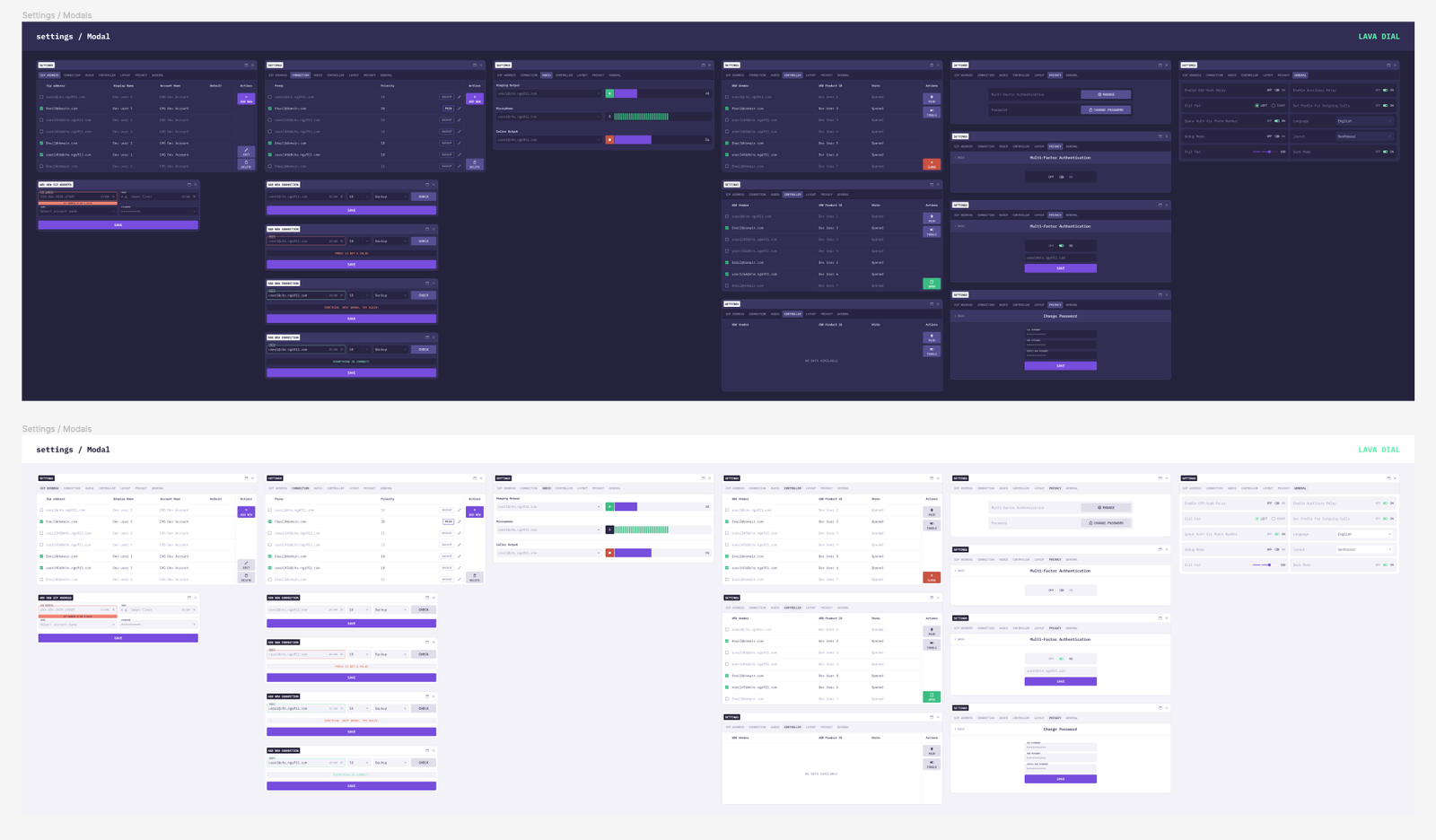
Settings system — light and dark variants
Validation and next steps
The supplied material documents interface designs, not research sessions or production outcomes. Usability testing and measured improvements are therefore not claimed here. Useful validation tasks would include answering and transferring a call, finding caller context, recognizing operator status, and recovering from a connection problem.
Takeaway
LavaDial brings call handling, caller context, and team coordination into a configurable workspace. Its central design idea is continuity: the information and controls needed during a call stay close to the operator.
This case study is reconstructed from supplied screenshots. The process is an editorial interpretation, and the presentation visual is AI-generated from the original designs. Interface values are sample data. Individual responsibilities, implementation status, and measured outcomes have not been verified.