
Fugo — From content to screen
A digital signage platform for creating, scheduling, and publishing content across screens.
My role: Product Designer — UX/UI, product refinement, usability testing, and A/B testing.
The challenge
Make a complex workflow easy to follow: connect a screen, add content, decide where and when it plays, and publish with confidence.
The design process
The work is presented in a simple sequence: define the journey → structure the screens → develop the UI → test and refine. The core journey connects screen setup, media, playlists, scheduling, and publishing.
01 / Onboarding
The welcome screen introduces three clear actions: Add Screen → Add Content → Publish Content. Desktop and mobile layouts keep the same tasks visible while adapting their arrangement.
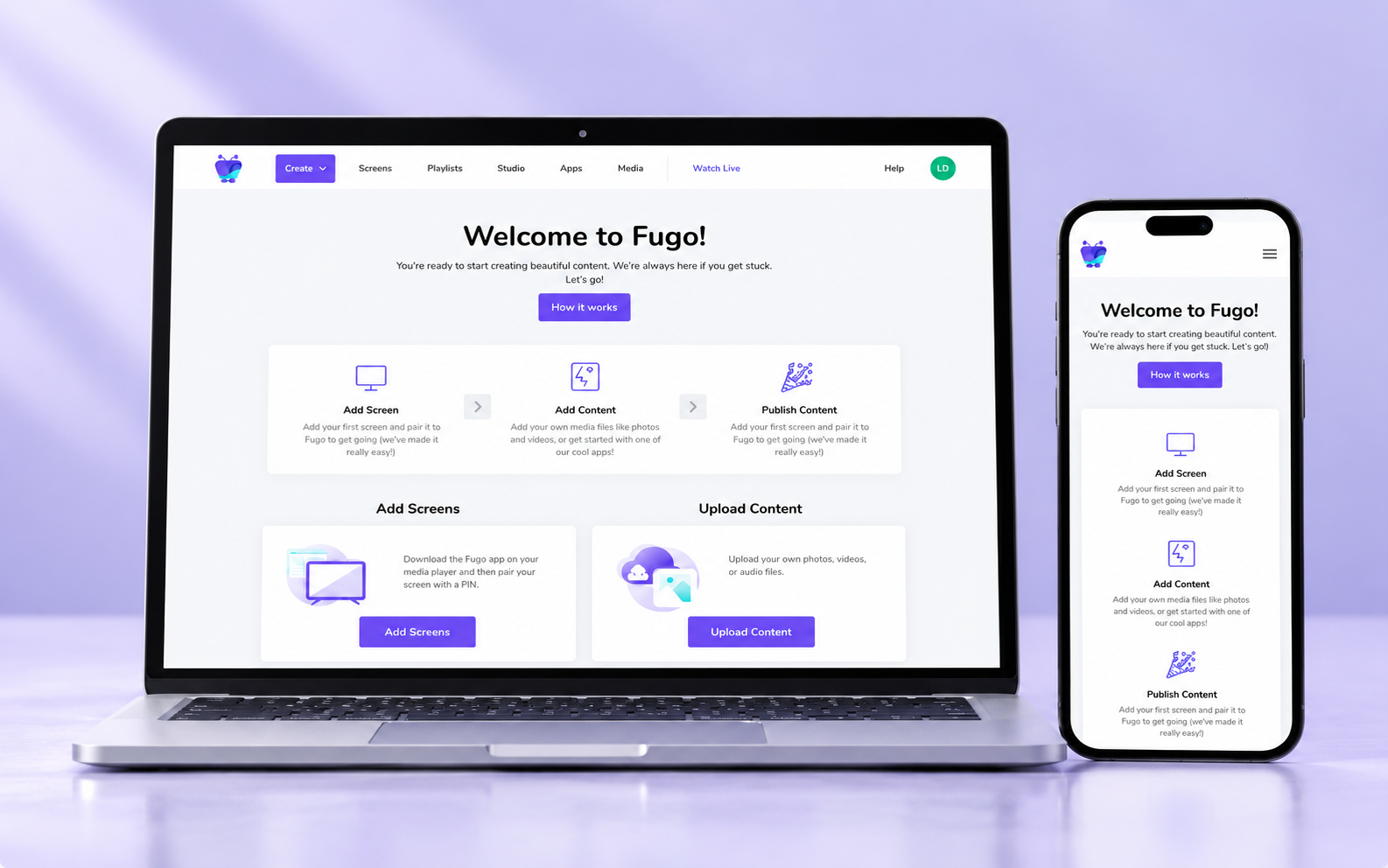
Onboarding — desktop and mobile
02 / Content Studio
Slides, a central canvas, media settings, and a timeline bring content creation into one workspace. Preview and playback controls connect the visual composition with how it appears on screen.
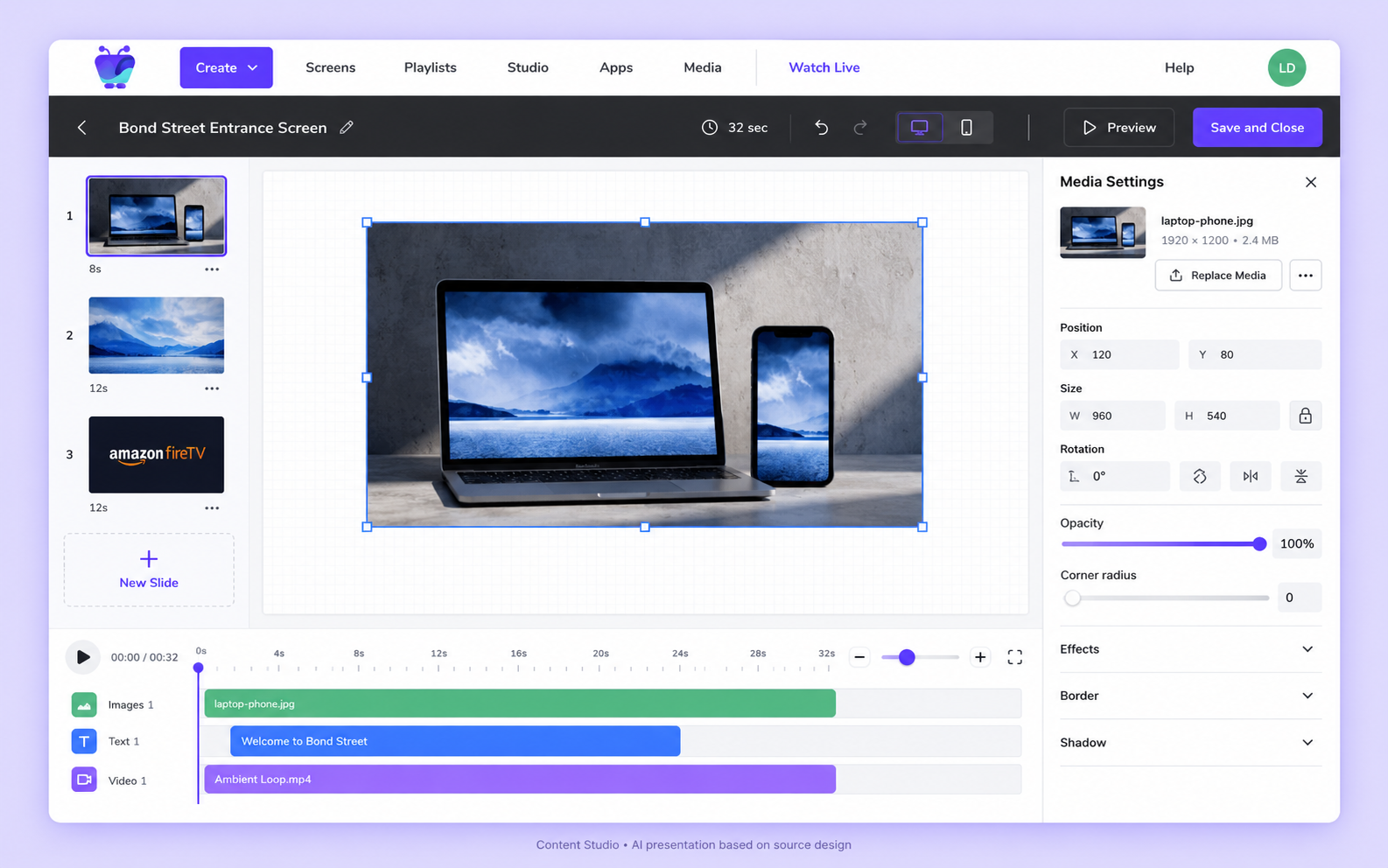
Content Studio
03 / Screen dashboard
Device status, active playlists, current content, and hardware details give users an overview of a selected screen.
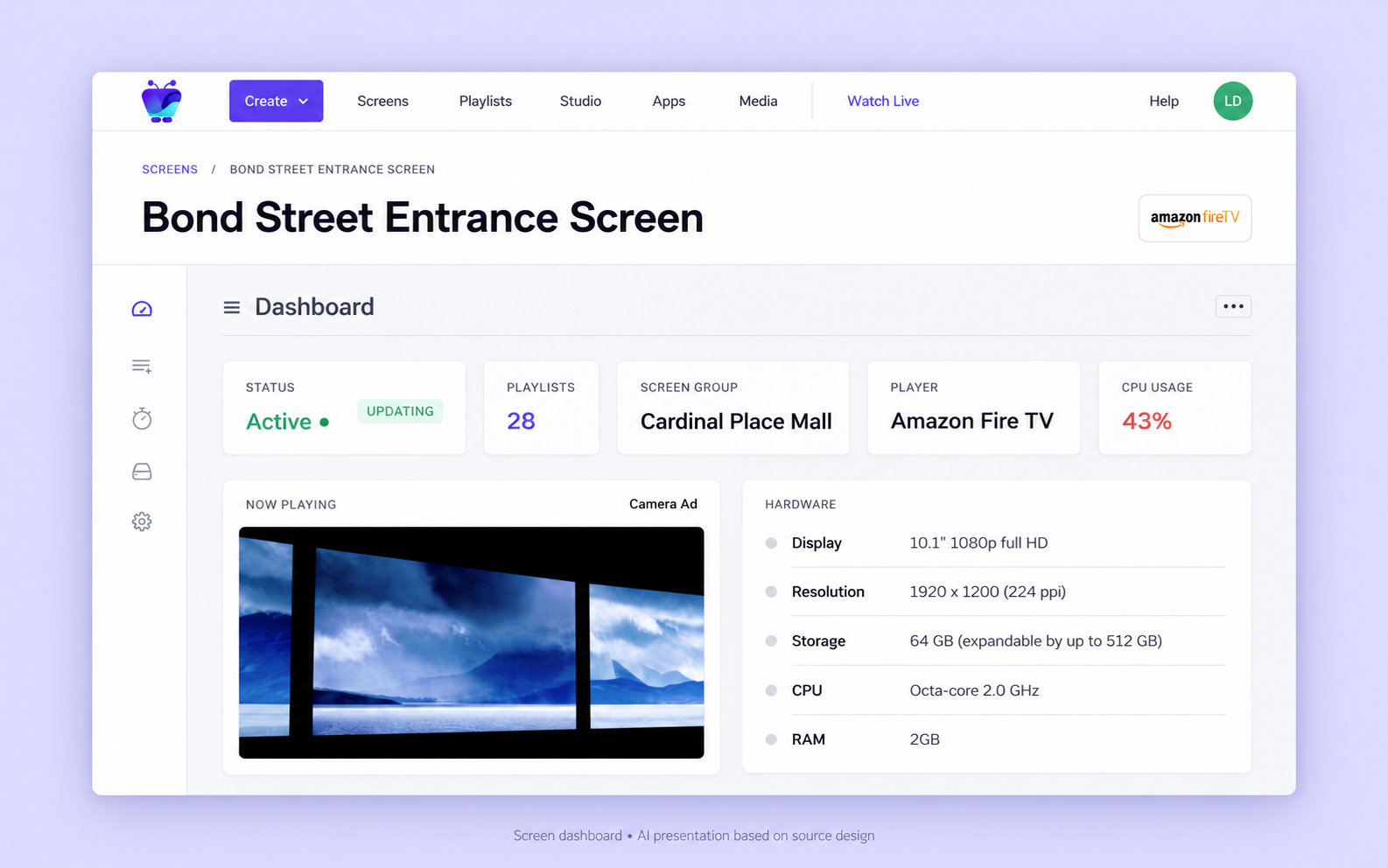
Screen dashboard
Testing and refinement
My role included usability and A/B testing. The key UX question is whether users can complete the publishing journey clearly and confidently. Specific test findings and measured improvements are not included here.
Takeaway
The design brings screen management and content publishing into a connected experience, with clear actions and consistent patterns across devices.
The process sequence is a retrospective reconstruction. Images are AI presentations based on the original designs, not exact exports. Dashboard values are sample interface data.