
Paterna — Pattern Studio
Designing a focused pattern studio: six geometric starting points, live customisation and a direct path from preview to export.
Paterna is a browser-based pattern studio for designers and developers who need a background they can make their own. The goal was to move from a starting pattern to a usable asset in one focused workspace.
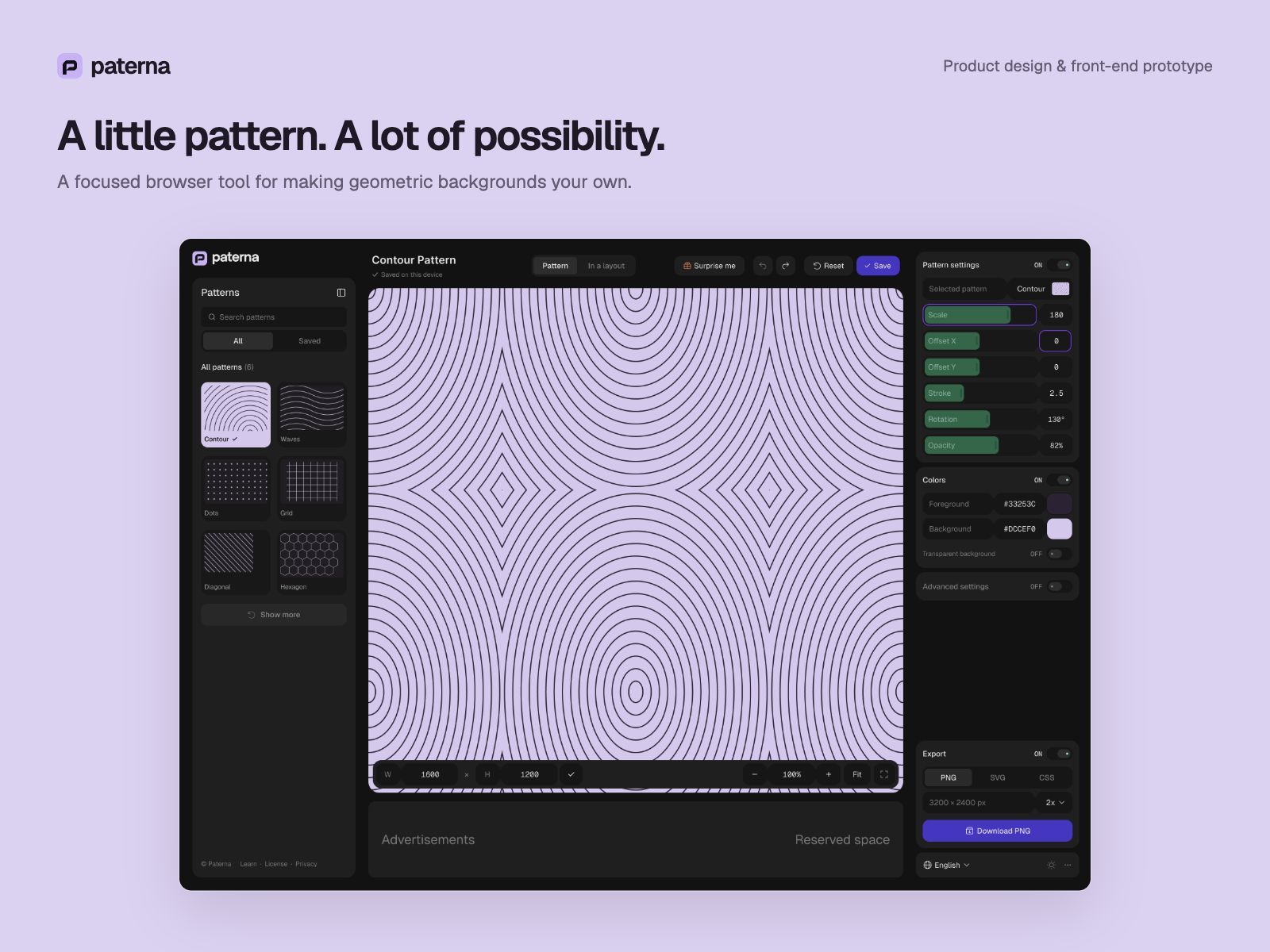
Paterna’s Figma studio design with a large contour-pattern canvas between the pattern library and adjustment controls.
Project at a glance
- Type: Self-initiated web product for designers and developers.
- Scope: Product direction, UX/UI, visual identity and AI-assisted front-end prototyping.
- Tools: Figma, Astro, HTML, CSS, JavaScript and SVG. Status: Working local prototype.
A background shouldn’t become a project
The starting point was a simple design problem: a ready-made background rarely has exactly the right colour, density or line weight. Building one from scratch adds work to a task that should stay small. I framed this as a product hypothesis: a focused generator could make that adjustment easier, without requiring a full design editor.
Keep the workflow short
Early explorations included separate Layers and Colors tabs. I removed that extra structure from the first version and brought colour controls beside the pattern settings. The final layout follows the task: choose on the left, inspect in the centre, adjust and export on the right.
Choose a pattern → customise it → preview it in context → export.
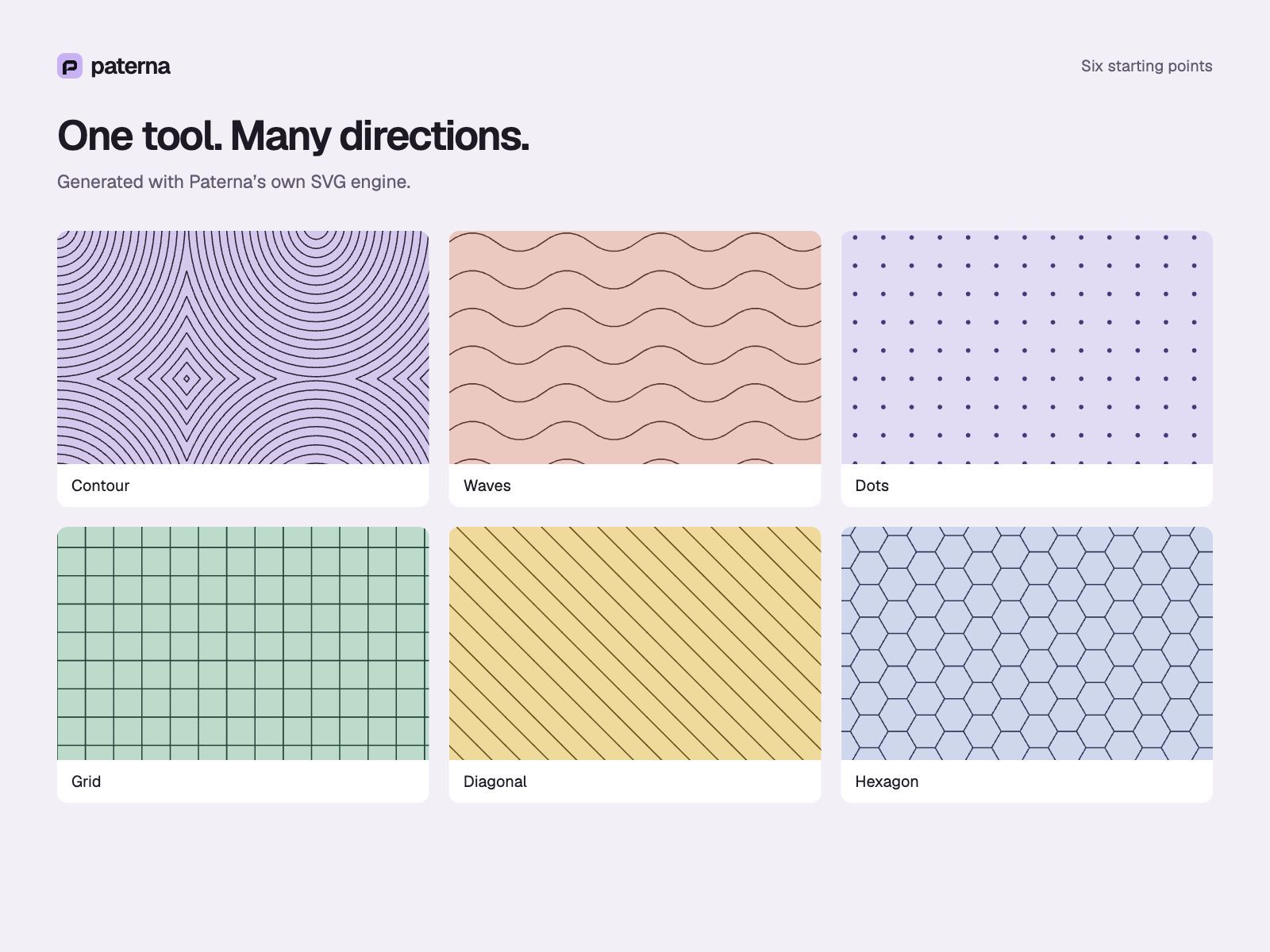
Six patterns generated by Paterna: Contour, Waves, Dots, Grid, Diagonal and Hexagon.
Precision without clutter
The canvas gets most of the space. Sliders make exploration quick, while numeric inputs let users enter exact values. Only relevant controls appear for each pattern: Waves has wave height; Dots has dot size. Advanced controls stay in a collapsible section.
Dark and light themes share the same layout. Geist keeps interface labels clear; Geist Mono gives values a consistent rhythm. Purple identifies key actions and focus, while the artwork carries the personality.
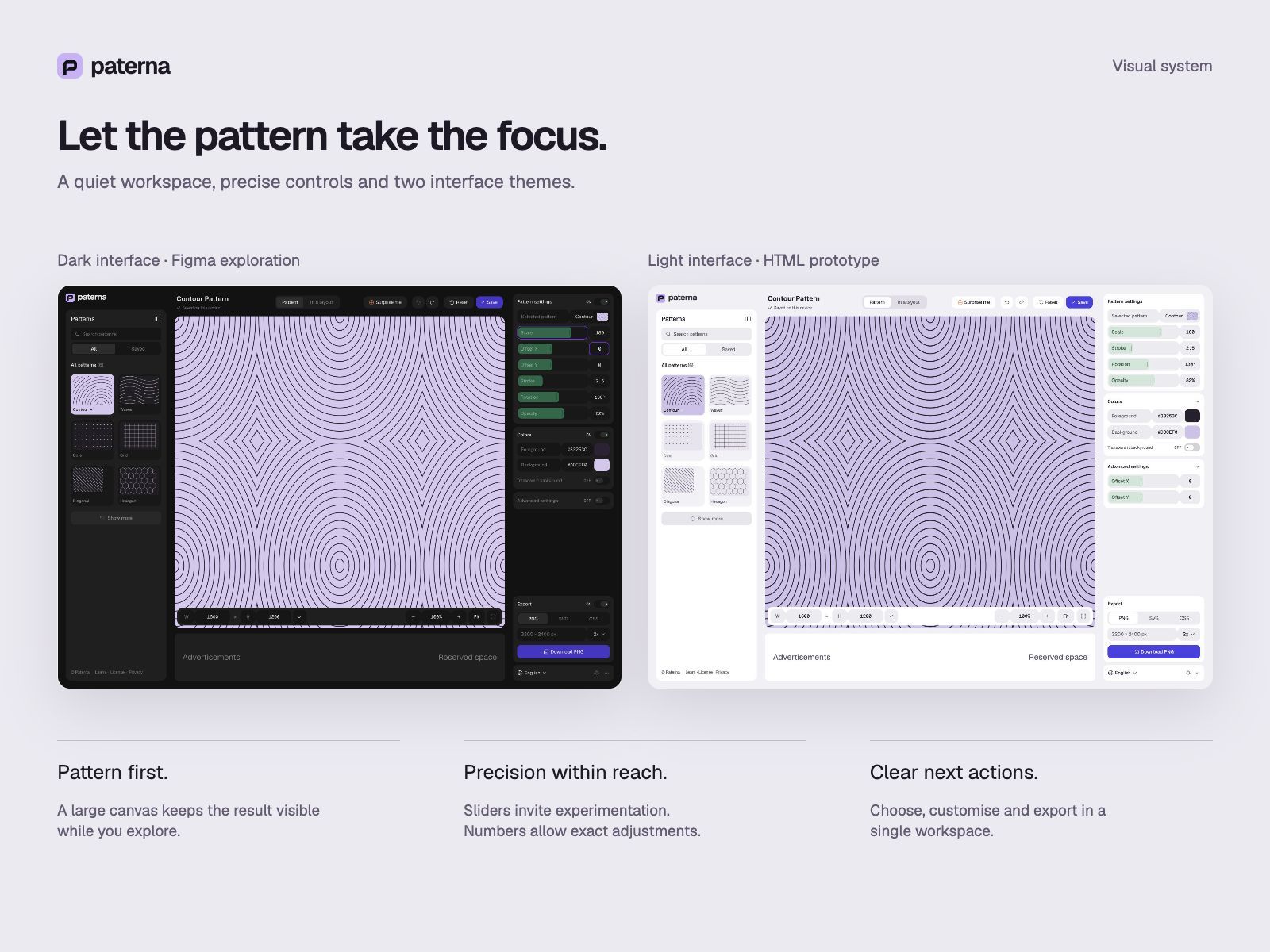
Dark Figma design and light HTML prototype shown together, illustrating the canvas-first layout and precise controls.
Make experimentation reversible
Autosave restores the current work in the same browser. Save creates a separate named preset. A loaded preset becomes its own starting point: Reset stays disabled until something changes, then returns to that saved state. Undo and Redo make exploration easier to reverse.
The In a layout mode adds an example website hero, so a pattern can be judged behind real typography rather than in isolation. It uses the current artwork; downloads still contain only the pattern.
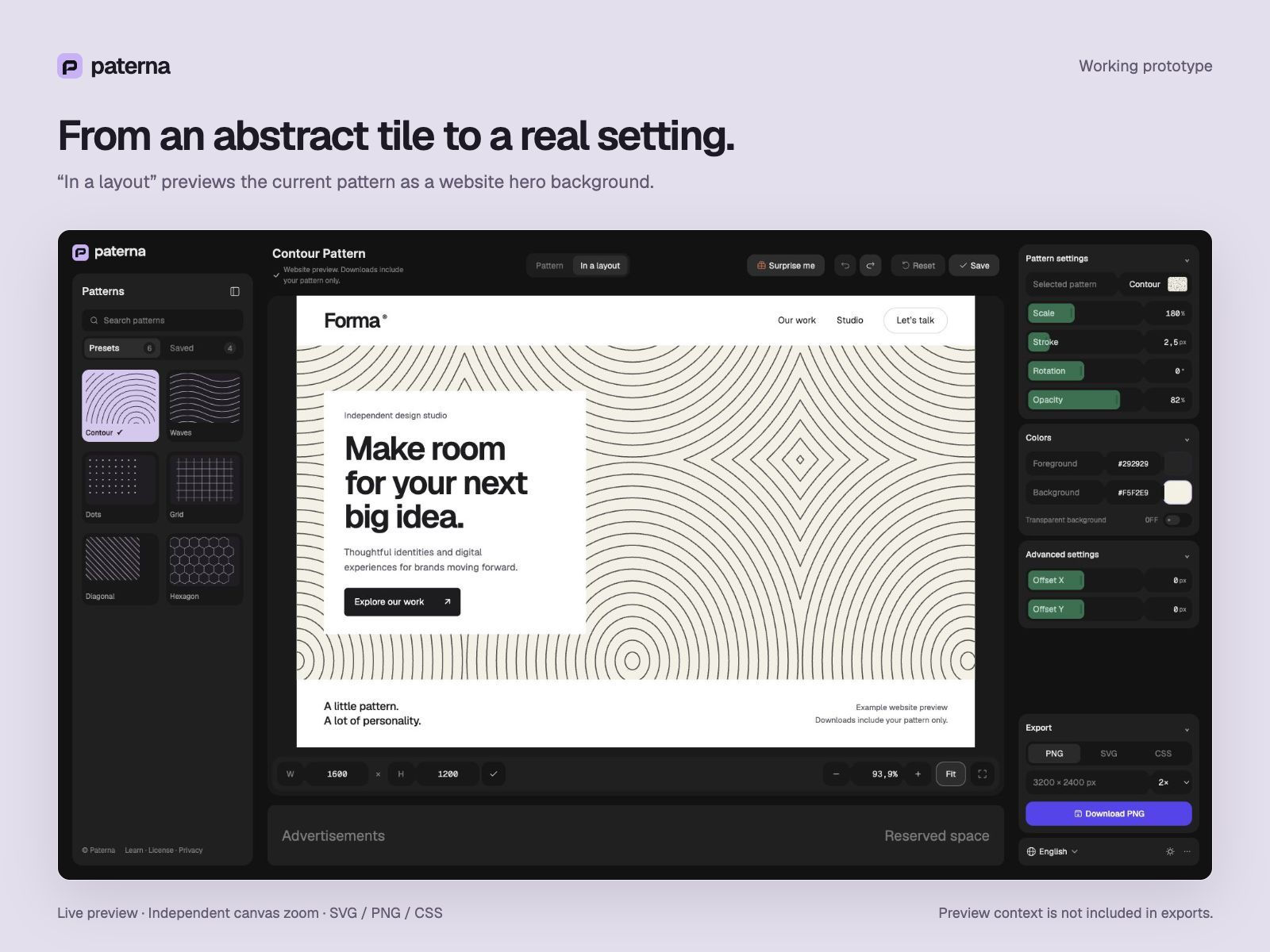
The working In a layout mode displays the selected contour pattern behind an example website hero.
Build the result, not just the screen
I started with static HTML/CSS, then moved to Astro with vanilla JavaScript. Preview and export share the same SVG geometry. When an early SVG import into Figma lost the pattern, the export was changed to explicit vector paths. The prototype now supports SVG and PNG downloads, plus a CSS background-image snippet.
Where it stands
The working prototype connects six pattern families to live controls, contextual preview, local presets and export. It demonstrates the complete creation cycle; it does not yet establish adoption or business results. The next step is usability testing across screens, followed by an English, German, French and Spanish release. Hosting, analytics and advertising remain planned work.
The main lesson: usefulness came from removing editor complexity while keeping precise control over the result.